
ShareSafe for solicitors
Have a case file reviewed without handing over your clients' names.
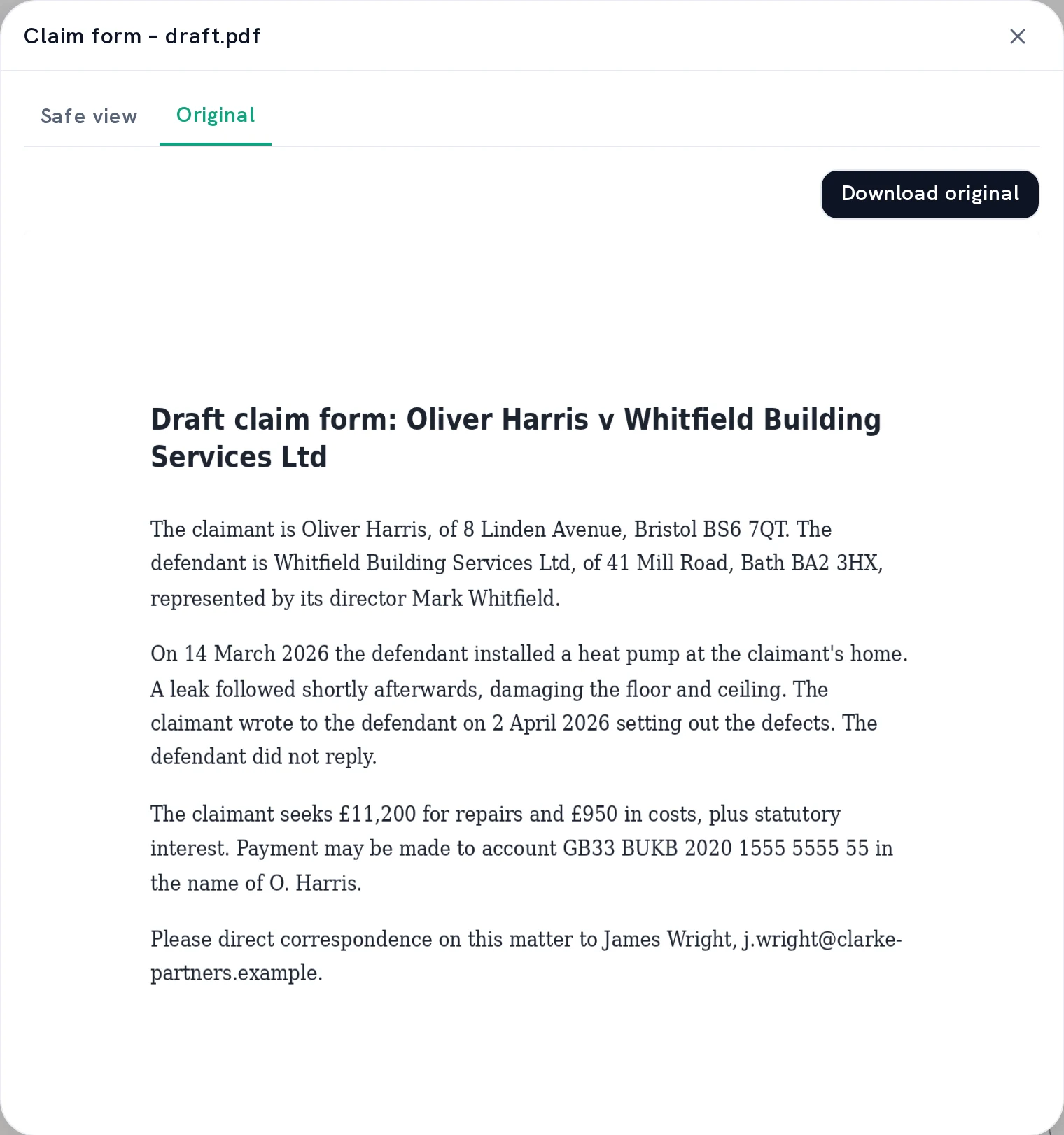
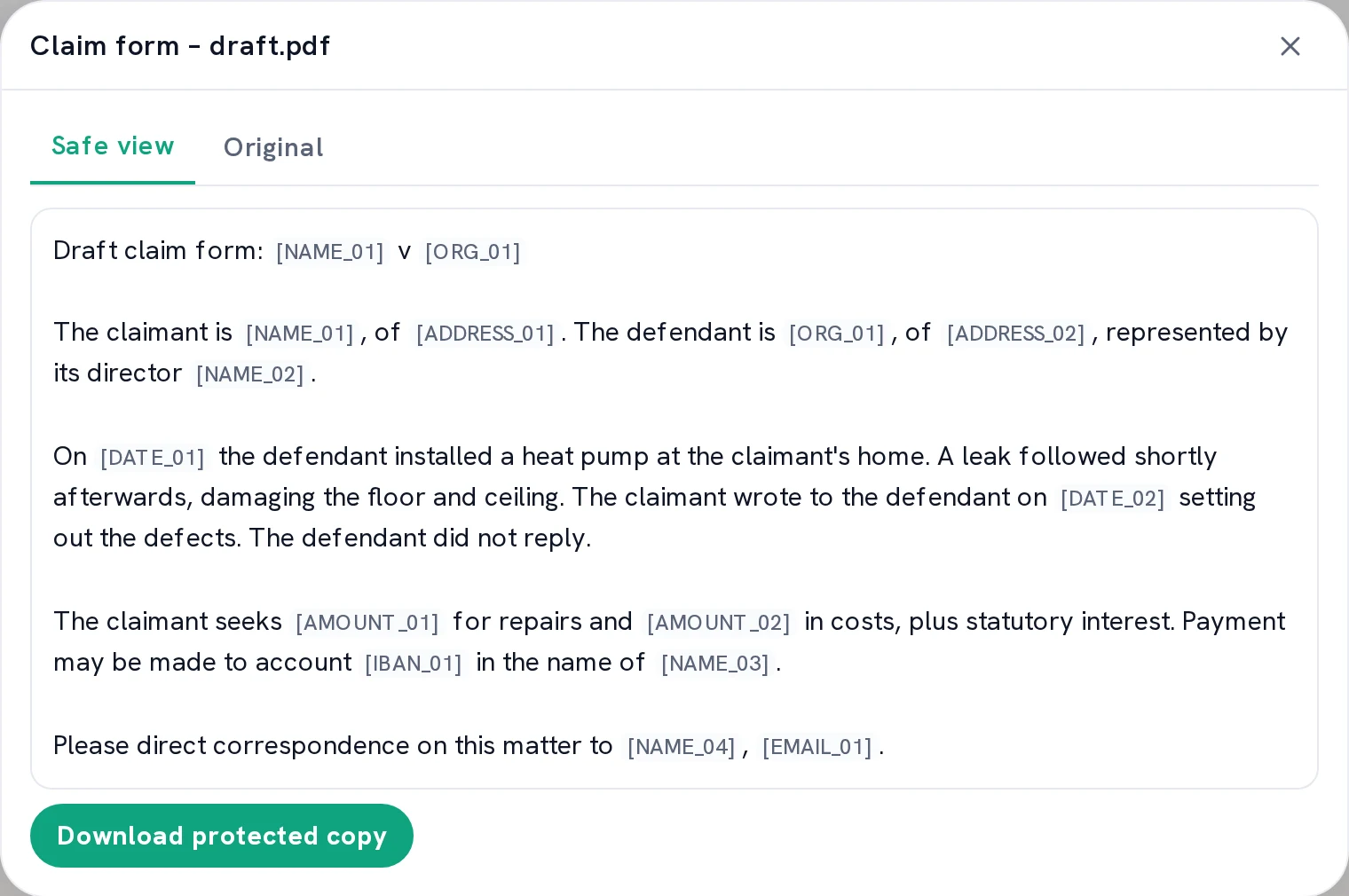
A colleague at another firm reading along, an expert reviewing a report, a question to AI about a pleading. A file like that contains the names of clients and the other side, but often also company details, amounts and arrangements that are confidential. ShareSafe replaces those details with placeholders, and you check the result before the file leaves.
Claim-form-draft.docx
Claimant: Emma Clarke, 22 Elm Grove, London. Amount claimed: £68,400, plus statutory interest.
Showing the original.
Three moments when a case file leaves your firm.
A second opinion
You send a pleading to a colleague outside the firm. They read the legal question, with placeholders where the parties' names were.
An expert or translator
An outside expert or translator gets the document they need, without your client's addresses, account numbers and company details.
AI during preparation
Let AI summarise a case file or compare two versions of an agreement, using the protected version.
How ShareSafe helps your firm.
Protect
ShareSafe finds names, organisations, addresses, numbers and amounts and replaces them with placeholders such as [NAME_01]. You can also have a settlement figure or hourly rate replaced if the recipient doesn't need it. You check the protected version.
Share
Share through a link with an expiry date, and revoke it whenever you want.
See it again
People with the right access see the real details again in Workspace. The activity log shows what has happened to each file.
Automatic detection can miss information, so check the protected version before you share it.
Original
Protected version
Work in Claude?
Connect Workspace to Claude and ask your question about the protected version. View the original details privately in a ShareSafe panel inside Claude.
How ShareSafe works in Claude →What deadlines are in this claim form, and what does [NAME_01] need to provide before the hearing?
Clear commitments about your files and data.
- ShareSafe is ISO 27001 certified
- Workspace storage in the EU
- ShareSafe Free doesn't keep your file or recovery key after processing.
- If you use AI, the AI service receives the protected version: the details ShareSafe replaced appear as placeholders.
- If the required protection can't be applied, the file isn't sent on.
Does your firm handle sensitive files?
Tell us what documents you work with, and we'll show you how ShareSafe fits in.
Request a demo